Projects
Projects are operational programs under a principal. Each project defines the scope, objectives, and timeline for a set of field activities. Projects link principals to the teams and outlets doing the work.
Projects List
Section titled “Projects List”Navigate to Projects in the sidebar to view all projects in your workspace.
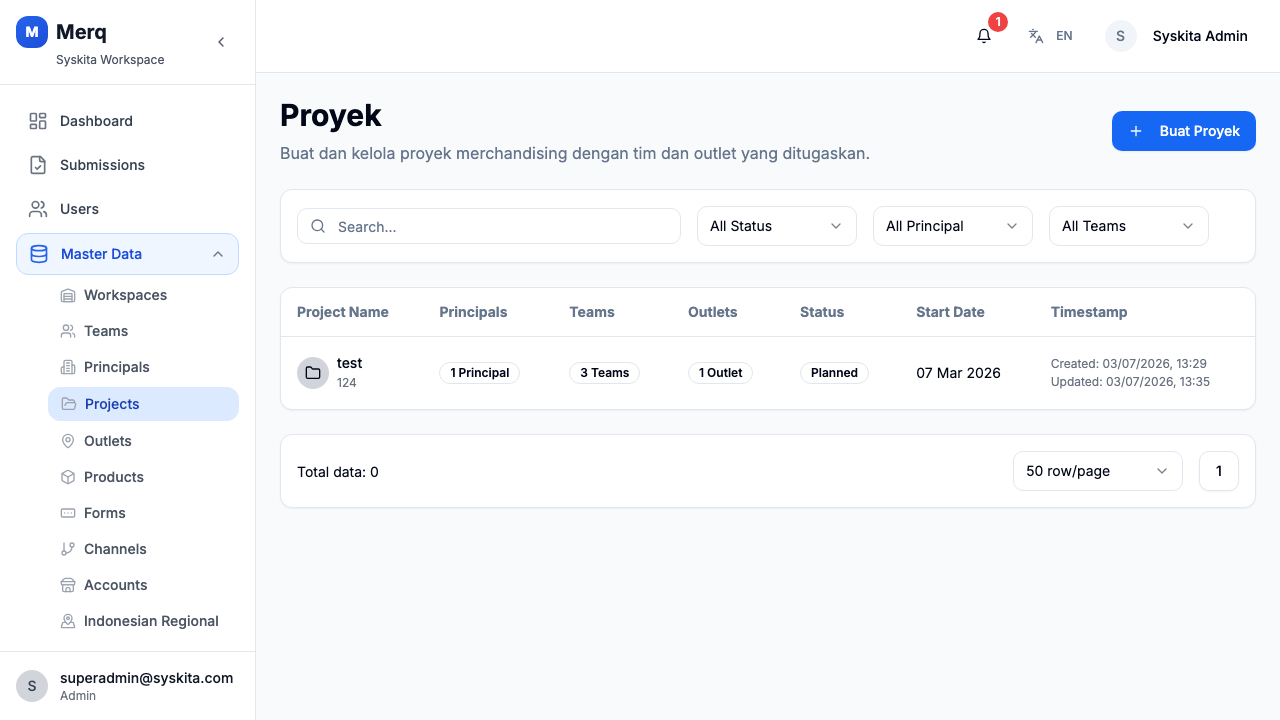
The table shows:
- Project name
- Status (Active / Inactive)
- Start and end dates
- Linked principal
- Created date
Search & Filter
Section titled “Search & Filter”Use the search bar to filter by project name. You can also filter by status using the status dropdown.
Creating a Project
Section titled “Creating a Project”- Click Create Project
- Fill in the form:
- Name — Project title
- Status — Active or Inactive
- Description — What the project covers
- Objectives — Goals and targets
- Start Date — Project start
- End Date — Project end (optional)
- Click Save
Project Detail
Section titled “Project Detail”Click any project row to open the Project Detail page.
The detail page shows:
- Basic Info: name, status, description, objectives, start/end date, created at, updated at
- Tabs:
- Principals — Principals linked to this project
- Teams — Teams assigned to this project
- Outlets — Outlets associated with this project
Managing Project Relationships
Section titled “Managing Project Relationships”Linking a Principal
Section titled “Linking a Principal”From the Principals tab on the Project Detail page, you can add or remove principals linked to this project.
Assigning Teams
Section titled “Assigning Teams”From the Teams tab, assign one or more teams to the project. This determines which field staff can be assigned visits under this project.
Associating Outlets
Section titled “Associating Outlets”From the Outlets tab, link store locations to this project. These are the outlets that field staff will visit.
Editing a Project
Section titled “Editing a Project”On the Project Detail page, click Edit to update any project field. You can update the name, dates, description, or status at any time.
Deactivating a Project
Section titled “Deactivating a Project”Set the Status to Inactive to close a project. Historical visits and submissions remain intact.